If you have external mods installed (such as Flashback), enabling Vanilla Overlay will restore the vanilla Minecraft-style buttons so mod menu buttons can appear correctly.
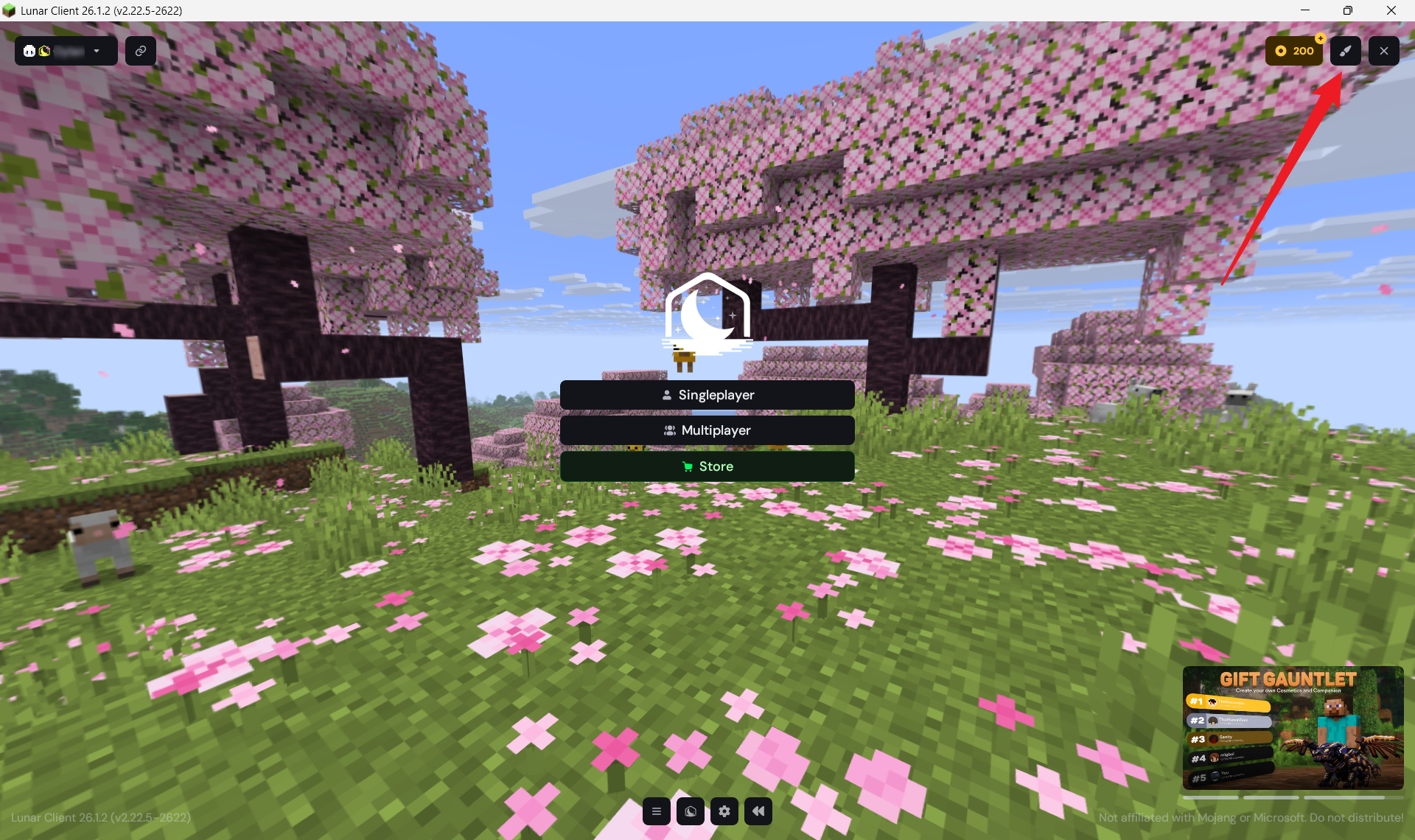
1. From the Lunar Client main menu, click the paintbrush icon in the top-right corner to open the Select Theme menu
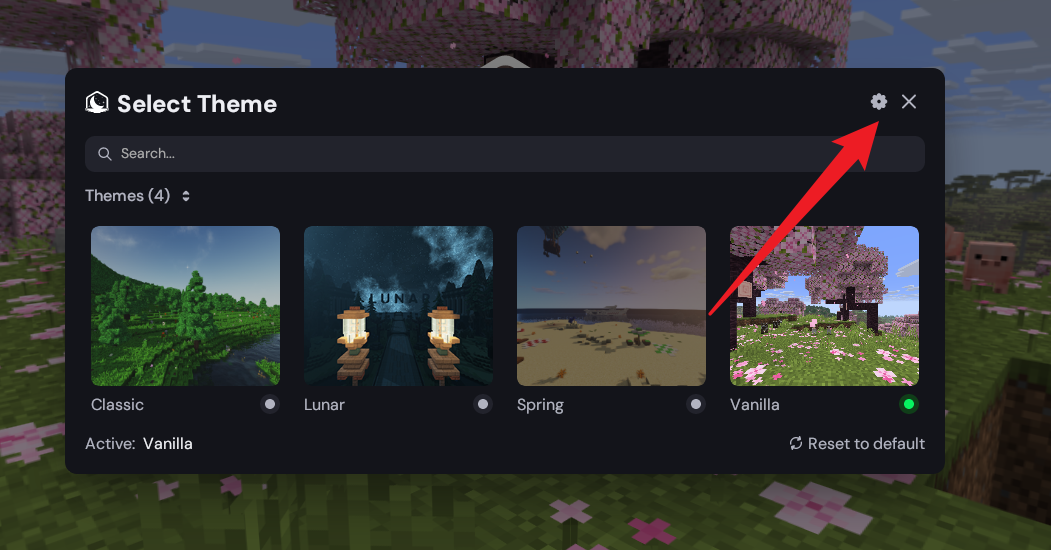
2. Inside the Select Theme menu, click the settings cog in the top-right corner to open Theme Settings.
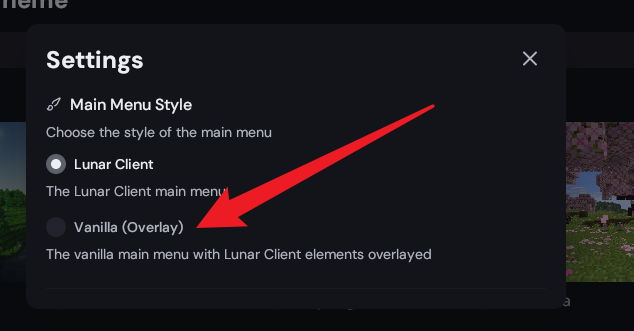
3. Under Main Menu Style, enable “Vanilla (Overlay)”. This keeps Lunar Client features while restoring the vanilla Minecraft menu layout.
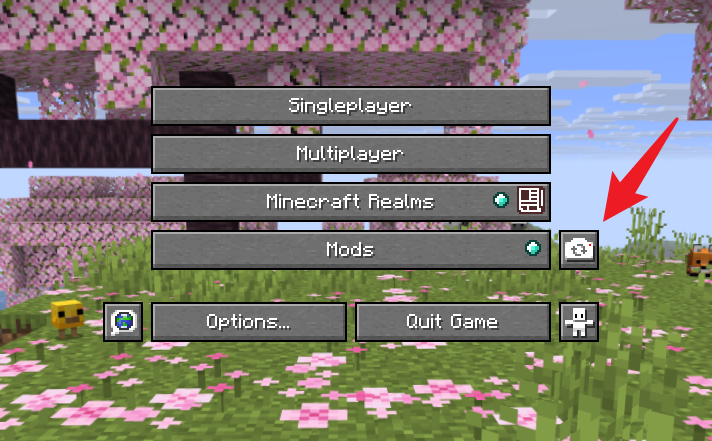
After enabling Vanilla Overlay, mods such as Flashback should now show their buttons on the main menu.
For example, you should see the extra mod/settings button appear beside the normal menu buttons.
Was this article helpful?
That’s Great!
Thank you for your feedback
Sorry! We couldn't be helpful
Thank you for your feedback
Feedback sent
We appreciate your effort and will try to fix the article