Login to Lunar Client
Uploading Launcher Logs
Learn how to upload your Lunar Client launcher logs when requested by a Lunar Client staff member. Follow these steps to share your Log ID for support.
Only perform these steps when instructed by a Lunar Client staff member
1. Open the Lunar Client launcher.
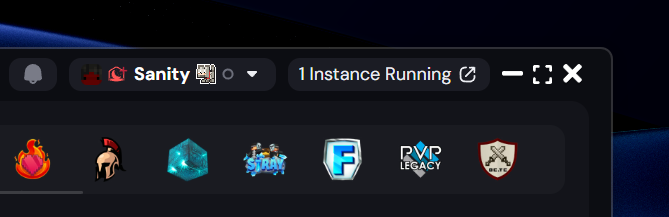
2. Check the top right corner, to ensure you're logged into a Minecraft account. Your Minecraft username should be displayed.
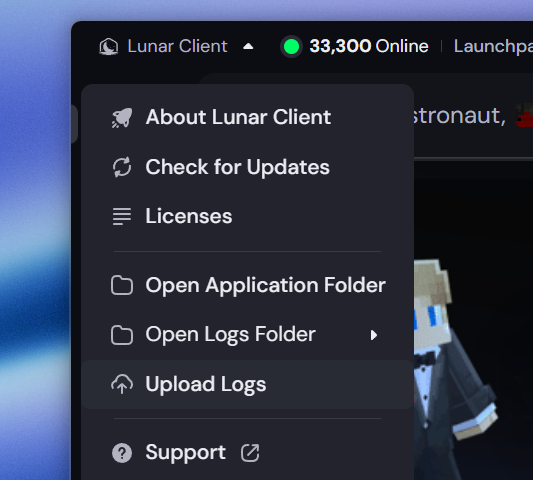
3. Expand the "Lunar Client" dropdown at the top left, and select "Upload Logs".
4. You should see a notification at the bottom right of your launcher confirming the log upload.
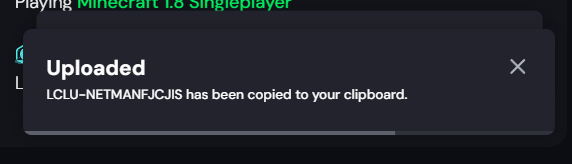
5. Share your Log ID with the Lunar Client staff member who asked you to follow this guide.
More in General
How to Create a Lunar Client Profile
Spotting a Malicious Site
Over the past few years there has been a large rise in attempts to obtain accounts through the use of lookalike sites with the assistance…
Reporting Ads on Lunar Client
Lunar Client is designed to enhance the Minecraft experience, offering players a wide range of features to explore and enjoy.
Changing Launcher Stream
Only perform these steps when instructed by a Lunar Client staff member
Early Game Update Delivery
Only perform these steps when instructed by a Lunar Client staff member
Changing Game Branch
Only perform these steps when instructed by a Lunar Client staff member
© 2026 Moonsworth, LLC