Login to Lunar Client
Stuck on Downloading Assets/Textures
If the Lunar Client launcher gets stuck on the "Downloading Assets" stage or the "Downloading Textures" page despite being finished, follow…
If the Lunar Client launcher gets stuck on the "Downloading Assets" stage or the "Downloading Textures" page despite being finished, follow the steps below.
Instructions
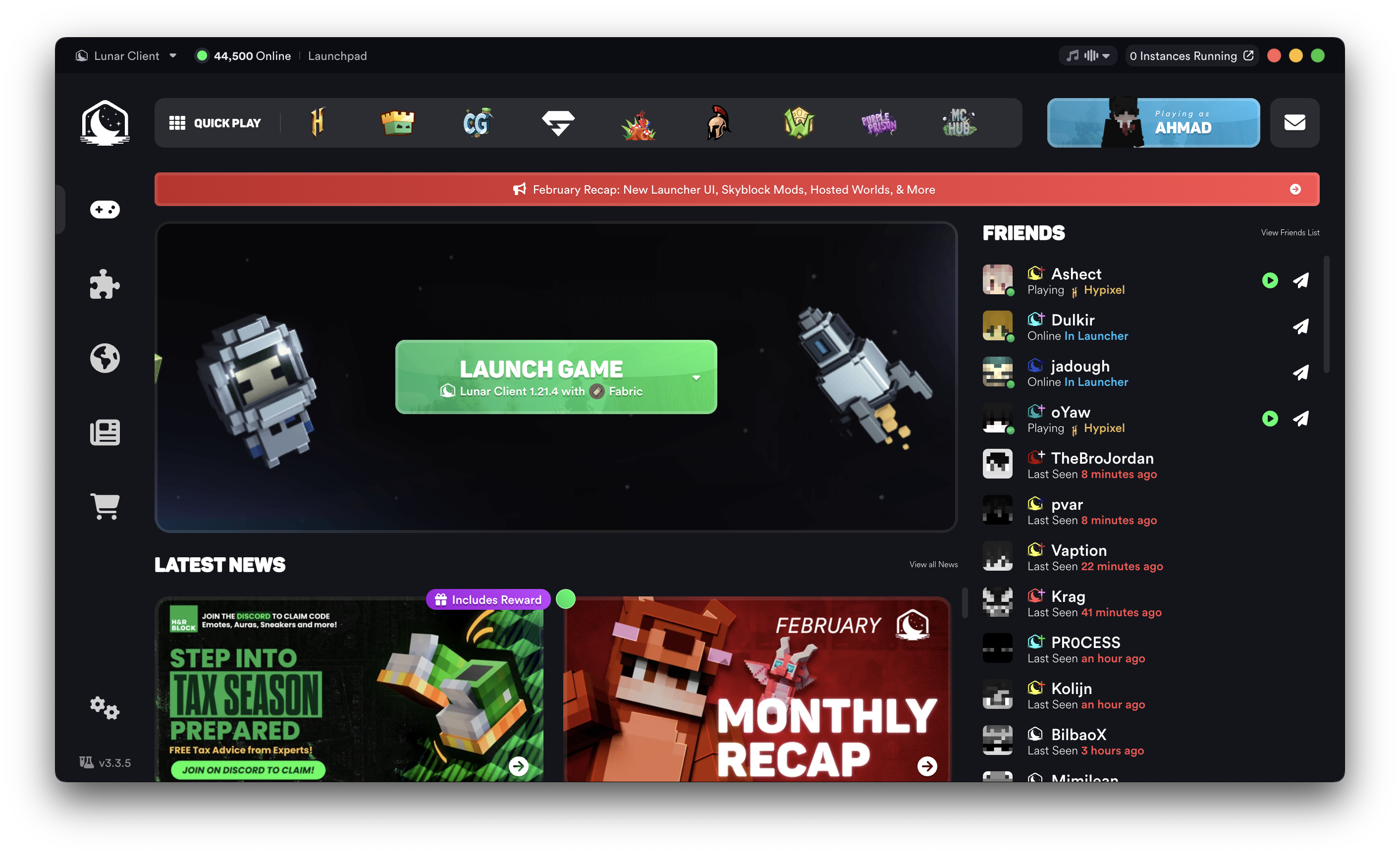
Step 1: Close the Lunar Client launcher
- Press the X button (red button if you're on macOS) at the top right of the launcher.
Step 2: Run the launcher as administrator
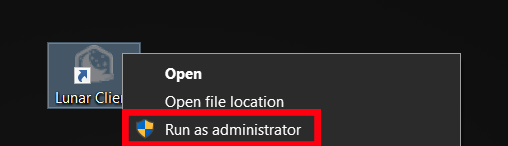
- Right click on the Lunar Client launcher shortcut.
- Press the "Run as administrator" button.
If the launching process gets stuck on another stage, please create a ticket.
More in Launching Issues
Self Signed Certificate
Self signed certificates are not trusted because the underlying website may pose a security risk to you.
Failed to Extract Natives
Failure to extract natives is the result of Lunar Client not being able to access specific game files.
Pixel Format Launch Fail
The Pixel Format Launch Fail is usually caused by your graphics drivers being out of date.
Failed to Launch in Fullscreen
This error occurs on Minecraft 1.7.10, 1.8.9, and 1.12.2, and is characterized by org.lwjgl.LWJGLException: Failed to set display mode (-2)…
Memory-related Launch Fail
When your computer's memory is running low, Minecraft may not be able to allocate the amount of memory that you specify.
© 2026 Moonsworth, LLC