Login to Lunar Client
Failed to Launch in Fullscreen
This error occurs on Minecraft 1.7.10, 1.8.9, and 1.12.2, and is characterized by org.lwjgl.LWJGLException: Failed to set display mode (-2)…
This error occurs on Minecraft 1.7.10, 1.8.9, and 1.12.2, and is characterized by org.lwjgl.LWJGLException: Failed to set display mode (-2) appearing in your crash log. This is only known to cause issues for players with NVIDIA GPUs who are attempting to go into fullscreen mode, or launch with fullscreen enabled.
Below, we've provided instructions on how to fix this crash by modifying your NVIDIA GPU settings. Not all monitors/GPUs support this, in which case you will have to change your resolution or disable launching in fullscreen.
Solution 1: Changing NVIDIA settings
This is the best way to solve the problem. Please attempt this before any of the solutions below.
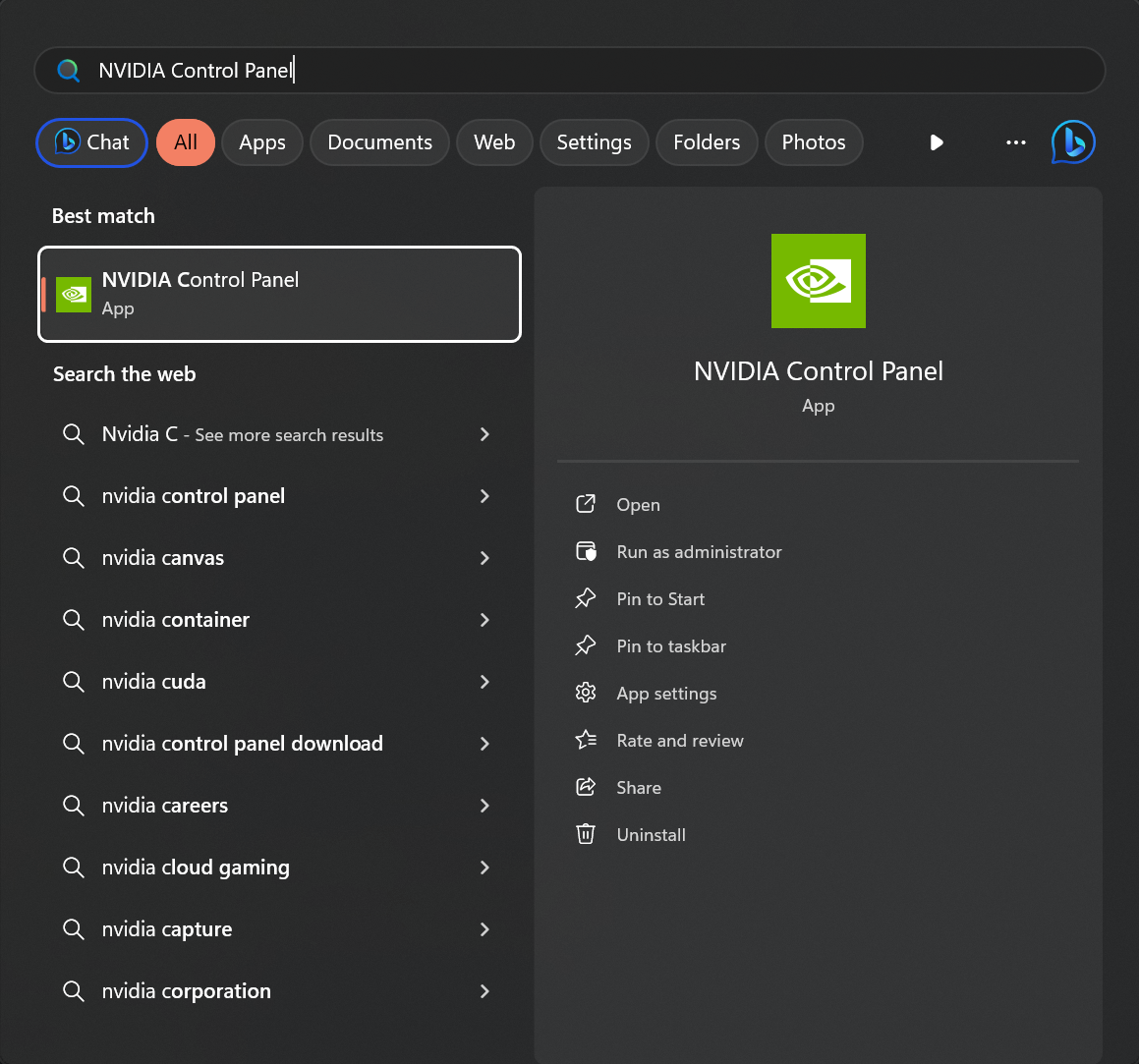
Step 1: Open the NVIDIA control panel
- Press the Windows key to open Search.
- Type in "NVIDIA Control Panel", then press Enter.
Step 2: Enable extra resolutions
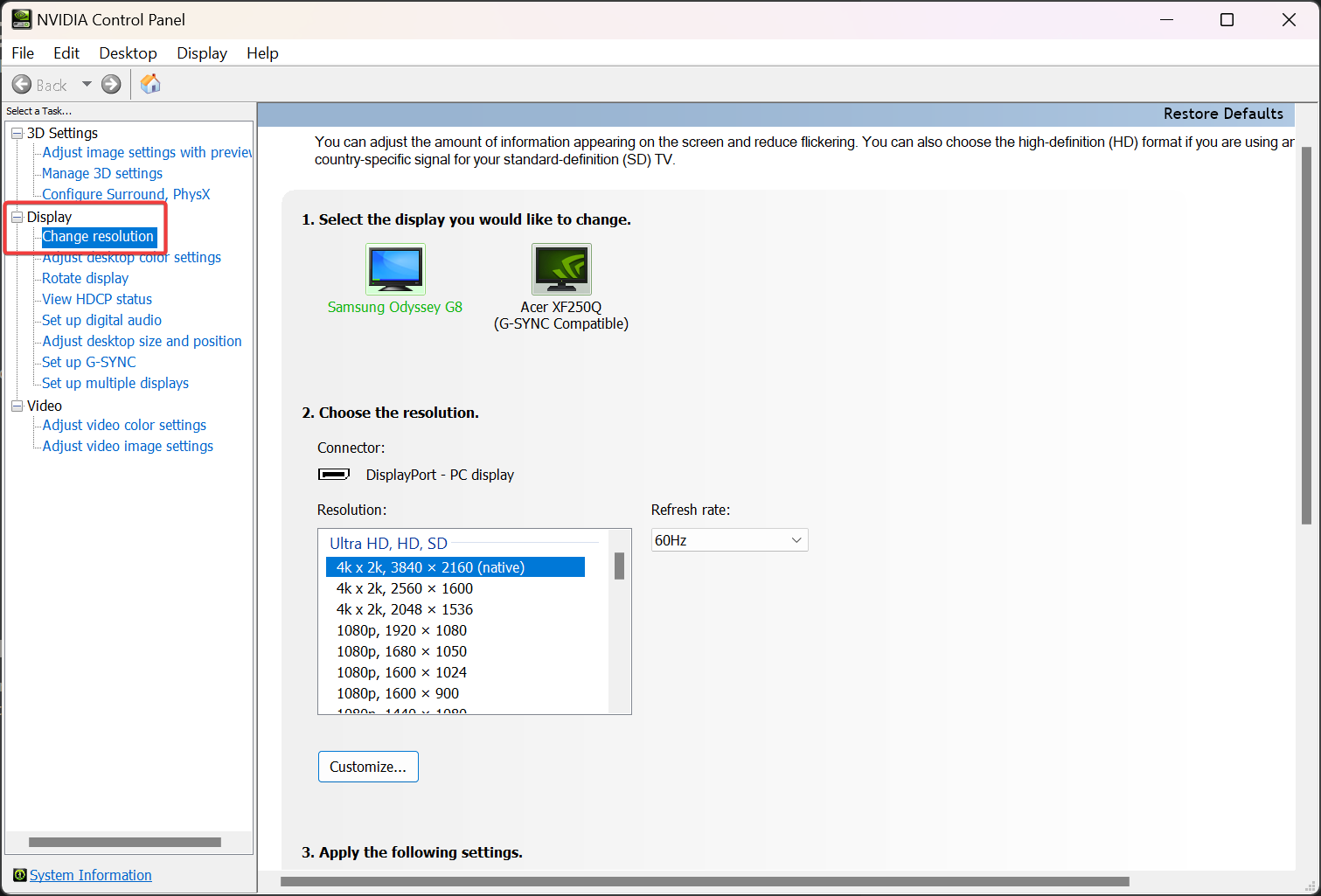
- Go to the "Display" section on the left sidebar.
- Click "Change Resolution" under the "Display" section.
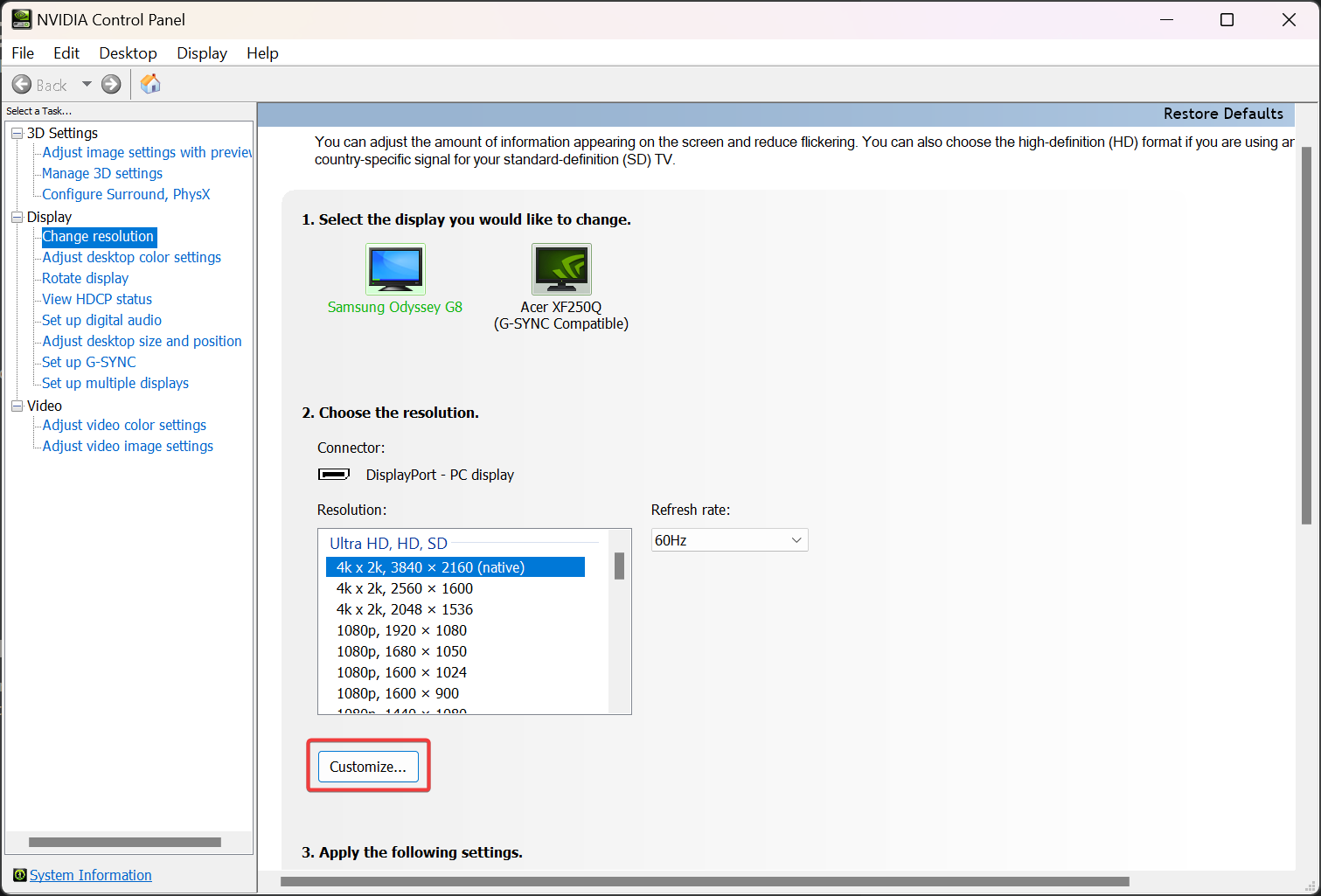
- Under "2. Change the resolution.", click the "Customize" button.
- If "Customize" is greyed out / cannot be clicked, your monitor doesn't support custom resolutions. Please move on to solution 2 below.
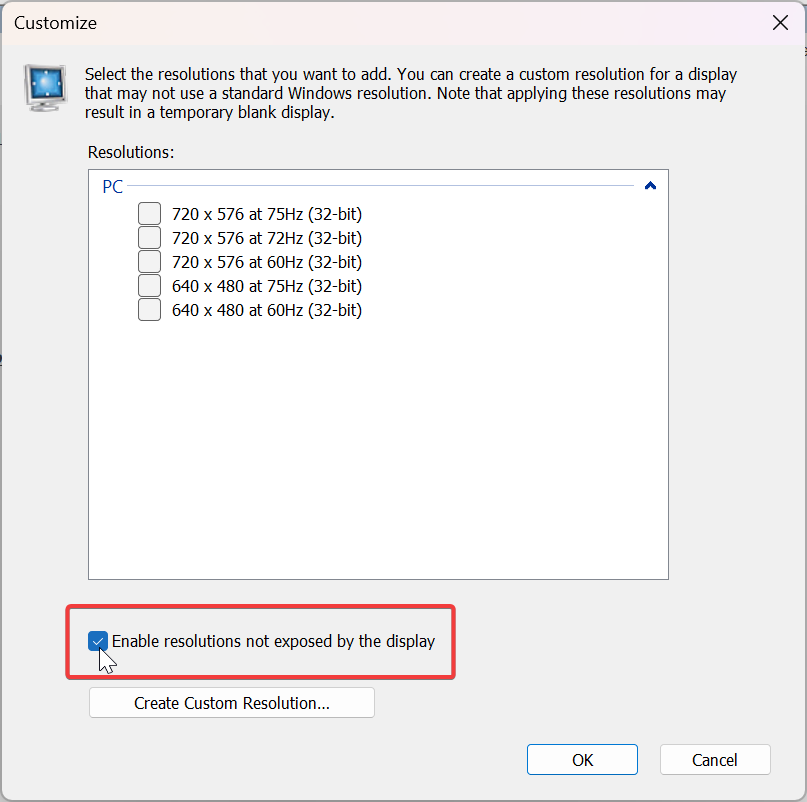
- Check the "Enable resolutions not exposed by the display" checkbox.
- Click "OK" to apply the changes.
Step 3: Restart your PC and relaunch
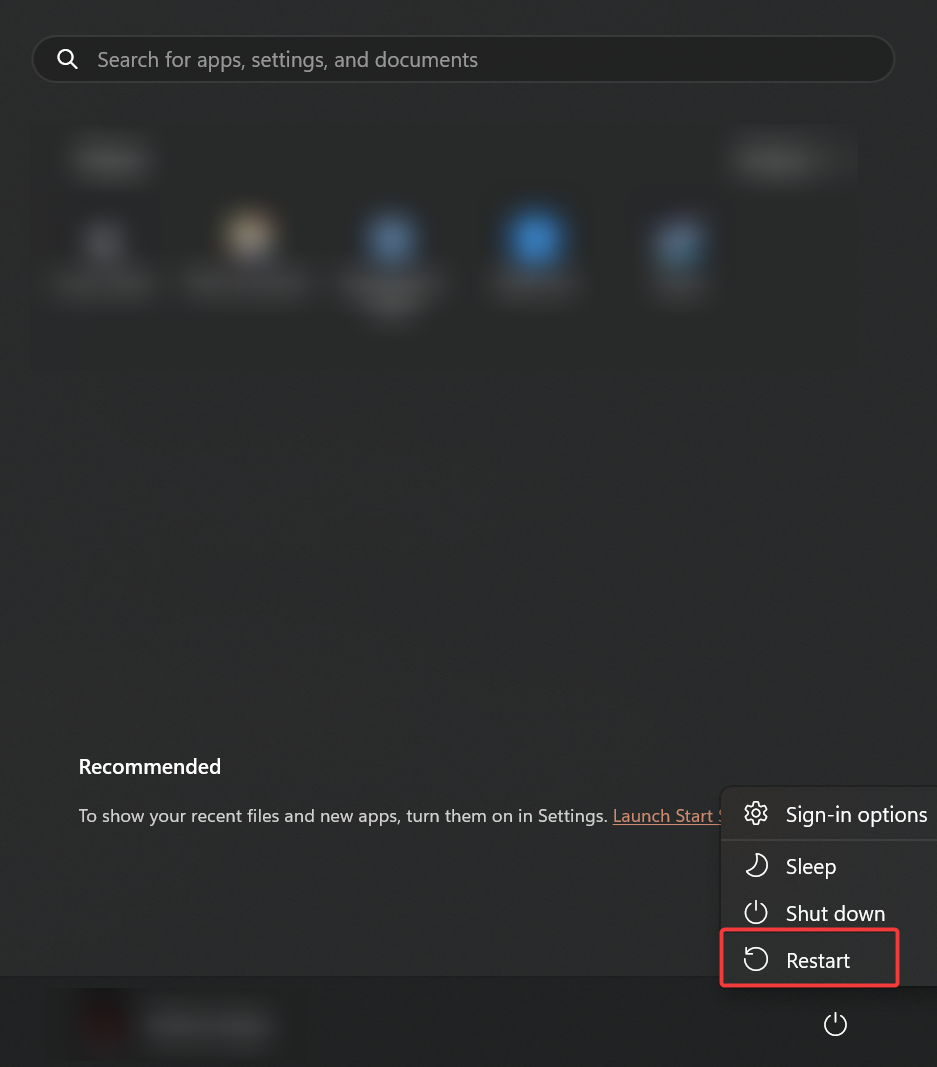
- Restart your computer.
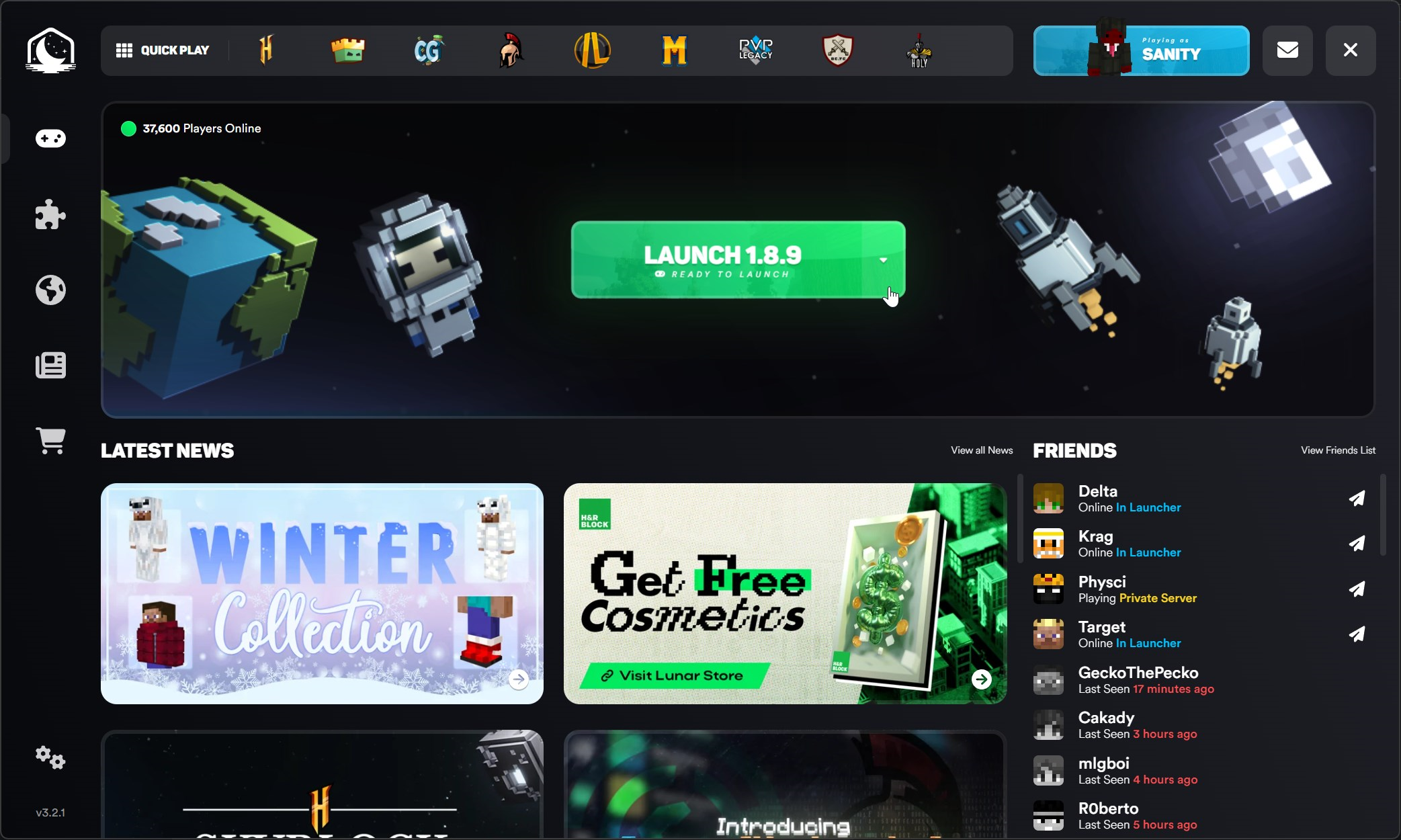
- Open the Lunar Client launcher and launch the game.
Solution 2: Change launch resolution
This is a known workaround to avoid the problem, by changing the resolution your game launches at to one supported by your monitor/GPU. Please only attempt this if you're unable to fix the problem with solution 1.
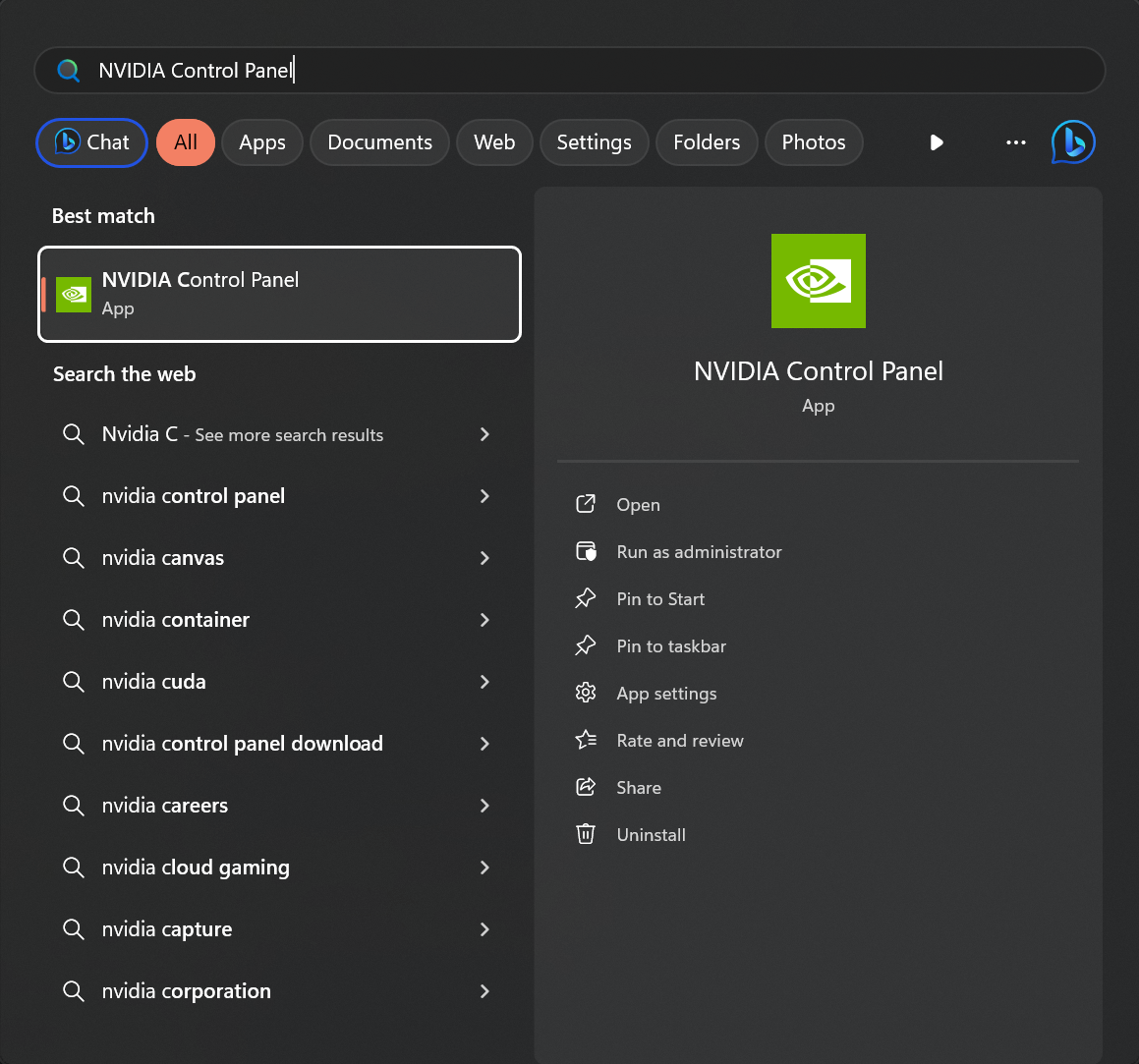
Step 1: Open the NVIDIA control panel
- Press the Windows key to open Search.
- Type in "NVIDIA Control Panel", then press Enter.
Step 2: Determine supported resolutions
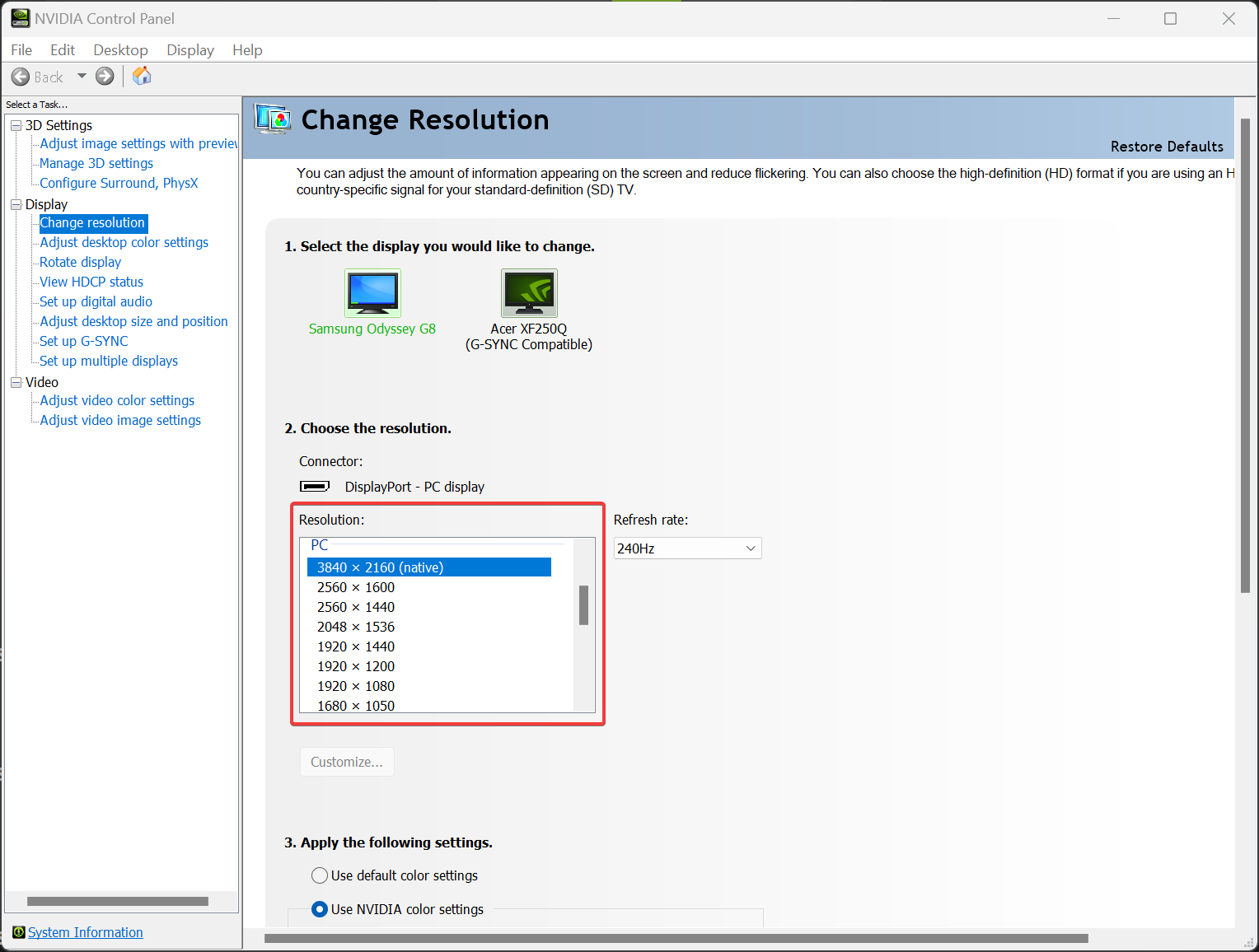
- Go to the "Display" section on the left sidebar.
- Look at the resolutions listed under "2. Choose the resolution".
Step 3: Change Lunar Client resolution
- Open the Lunar Client launcher.
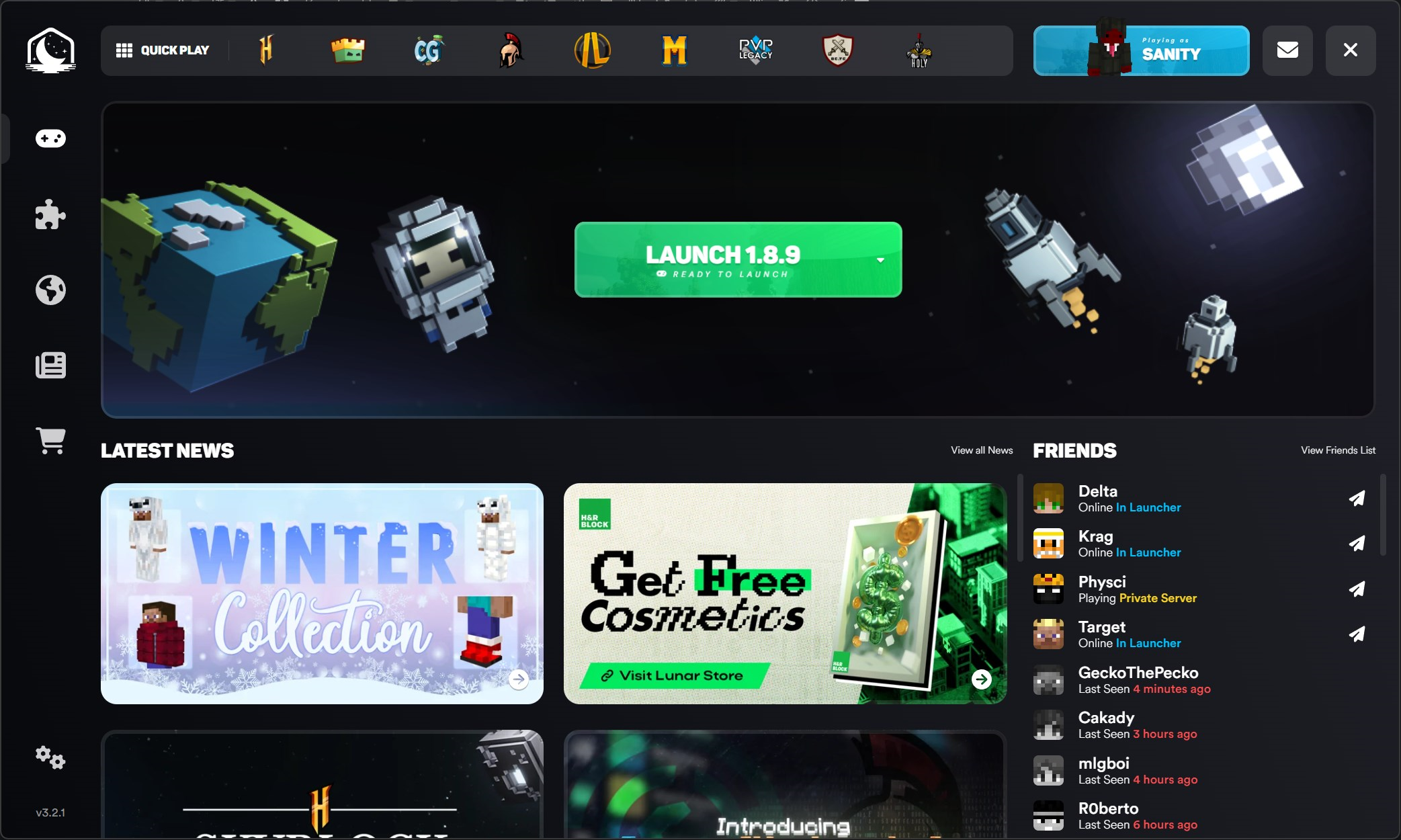
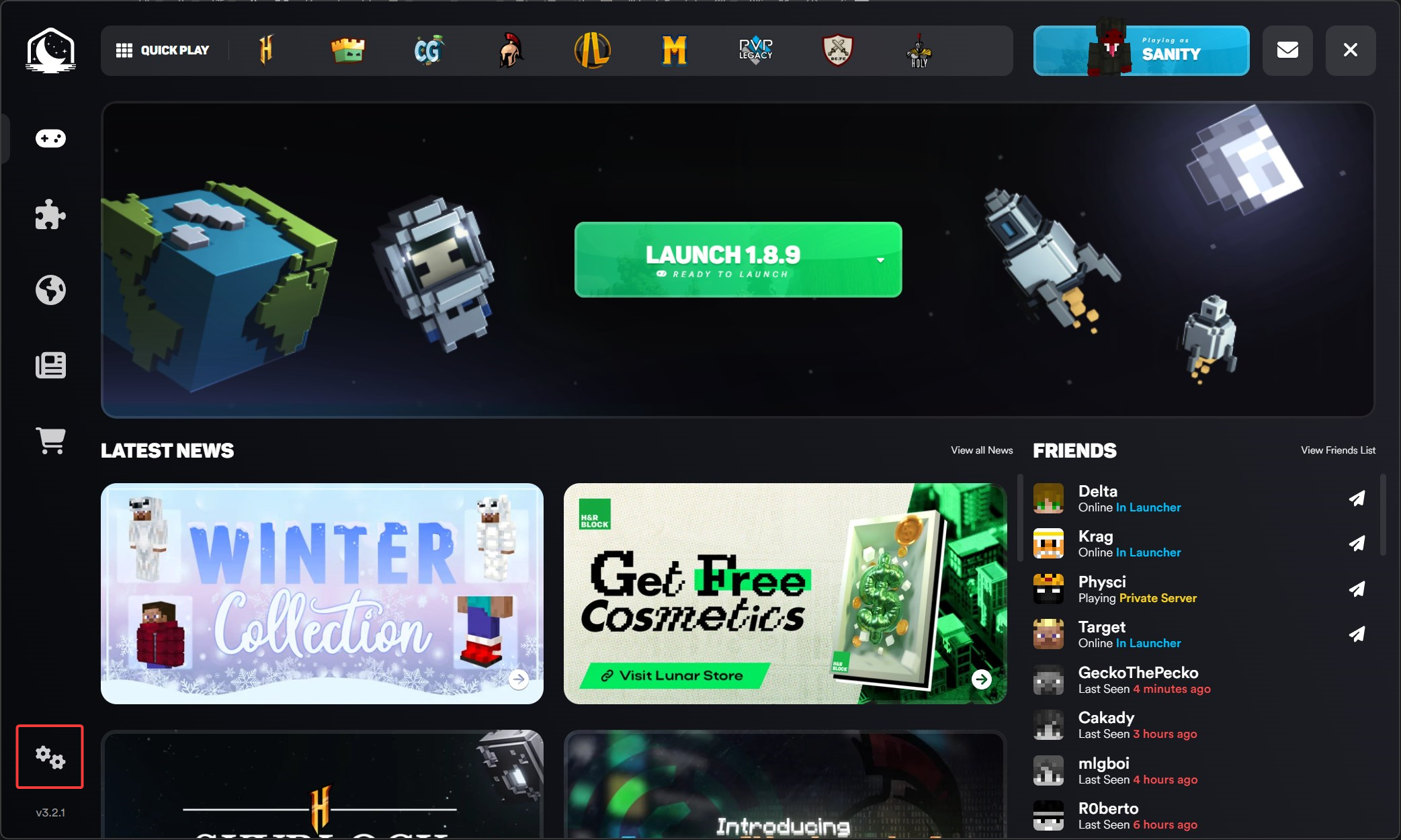
- Click "Settings" at the bottom of the left sidebar.
- Scroll down to "Game Resolution".
- Modify your resolution to be one of the ones that was listed in the NVIDIA Control Panel in step 2.
Step 4: Launch Lunar Client
- Open the Lunar Client launcher and launch the game.
Solution 3: Disable launching in fullscreen
This is a known workaround to avoid the problem, by disabling launching in fullscreen. Please only attempt this if you're unable to fix the problem with solutions 1 or 2.
Step 1: Disable fullscreen in the Lunar Client launcher
- Open the Lunar Client launcher.
- Click "Settings" at the bottom of the left sidebar.
- Scroll down to "Game Resolution".
- Uncheck "Launch in Fullscreen?"
Step 2: Disable fullscreen in-game
- Press the Windows Key + R
- Type in %appdata%/.minecraft
- Find and open optionsLC.txt
- Find fullscreen and set it from true to false
- Click CTRL + S to save your changes
Step 3: Launch Lunar Client
- Open the Lunar Client launcher and launch the game.
More in Launching Issues
Self Signed Certificate
Self signed certificates are not trusted because the underlying website may pose a security risk to you.
Failed to Extract Natives
Failure to extract natives is the result of Lunar Client not being able to access specific game files.
Pixel Format Launch Fail
The Pixel Format Launch Fail is usually caused by your graphics drivers being out of date.
Memory-related Launch Fail
When your computer's memory is running low, Minecraft may not be able to allocate the amount of memory that you specify.
Stuck on Downloading Assets/Textures
If the Lunar Client launcher gets stuck on the "Downloading Assets" stage or the "Downloading Textures" page despite being finished, follow…
© 2026 Moonsworth, LLC