Login to Lunar Client
Loading...
How to enable Cloth Cloaks
Lunar+ subscribers have the option to enable Lunar Client Cloth Cloaks. Lunar Client Cloth Cloaks offer real-life cosmetic physics.
Lunar+ subscribers have the option to enable Lunar Client Cloth Cloaks. Lunar Client Cloth Cloaks offer real-life cosmetic physics.
To enable Cloth Cloak, follow the instructions below.
Instructions
Step 1: Open the Lunar Client Cosmetics menu
- Open your Lunar Client main menu
- Open the Lunar Cosmetics menu
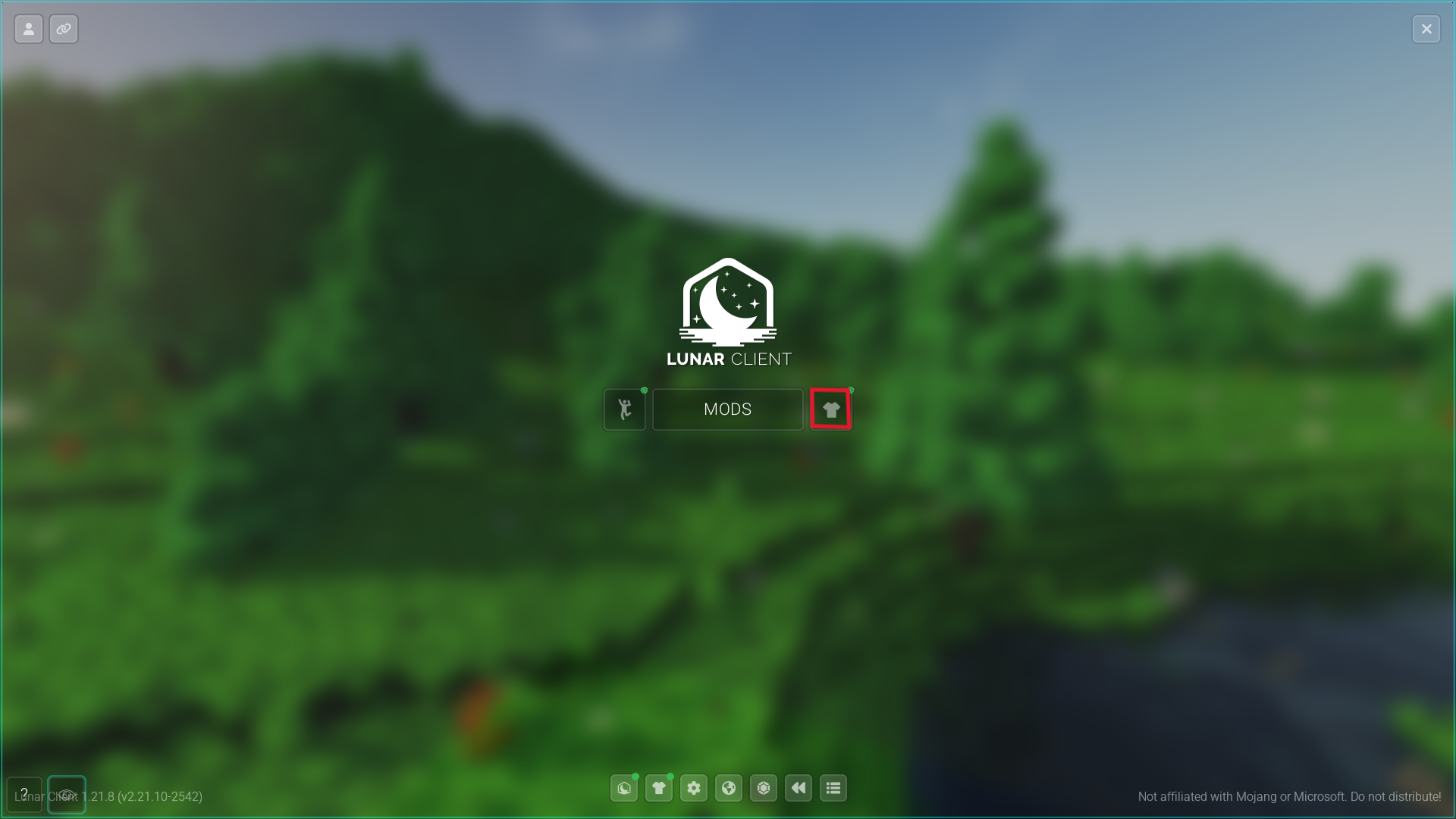
Step 2: Equip a cloak
- Equip your desired Lunar Client Cloak.
- Check the Cloth Cloak settings below your character.
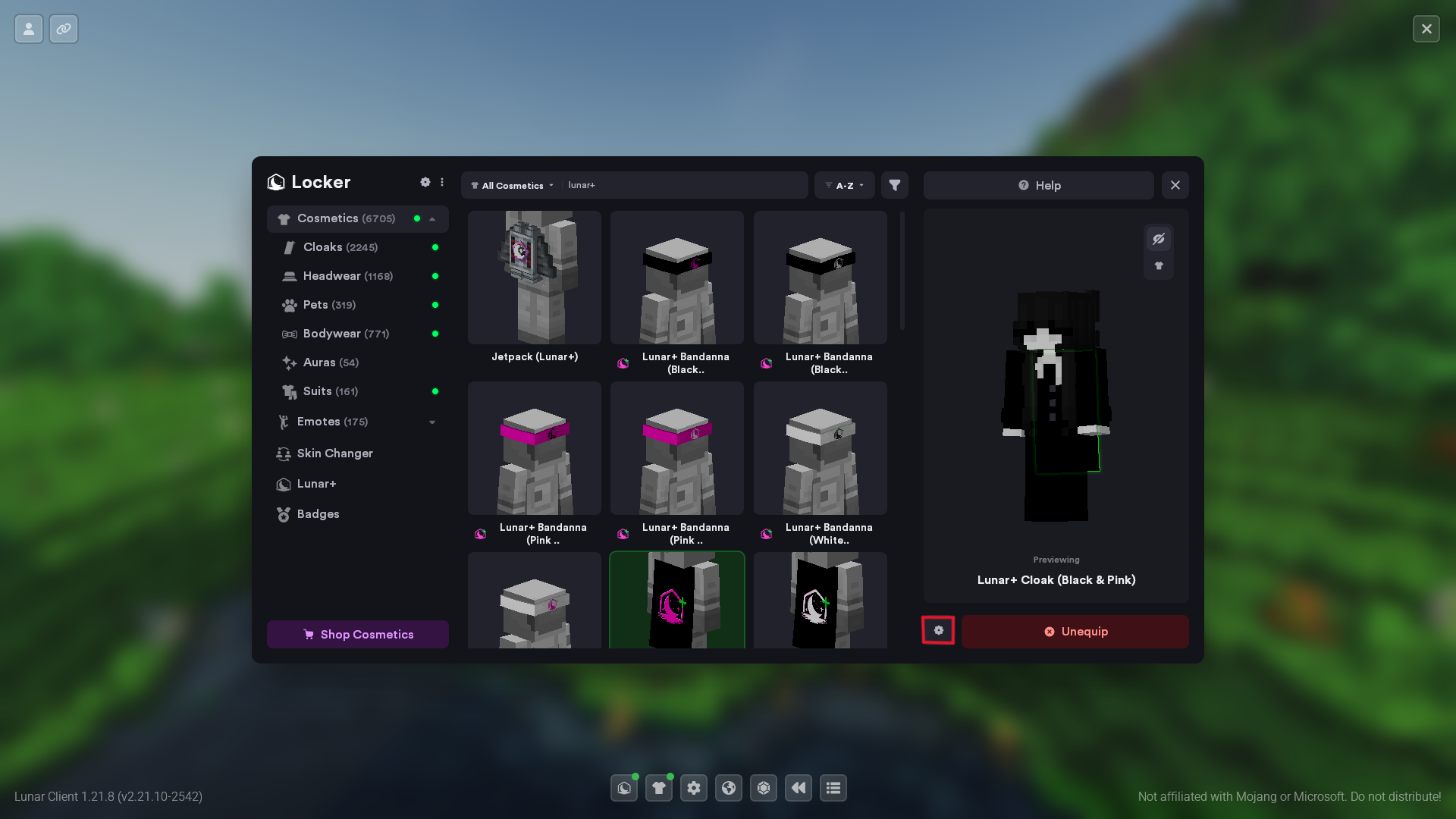
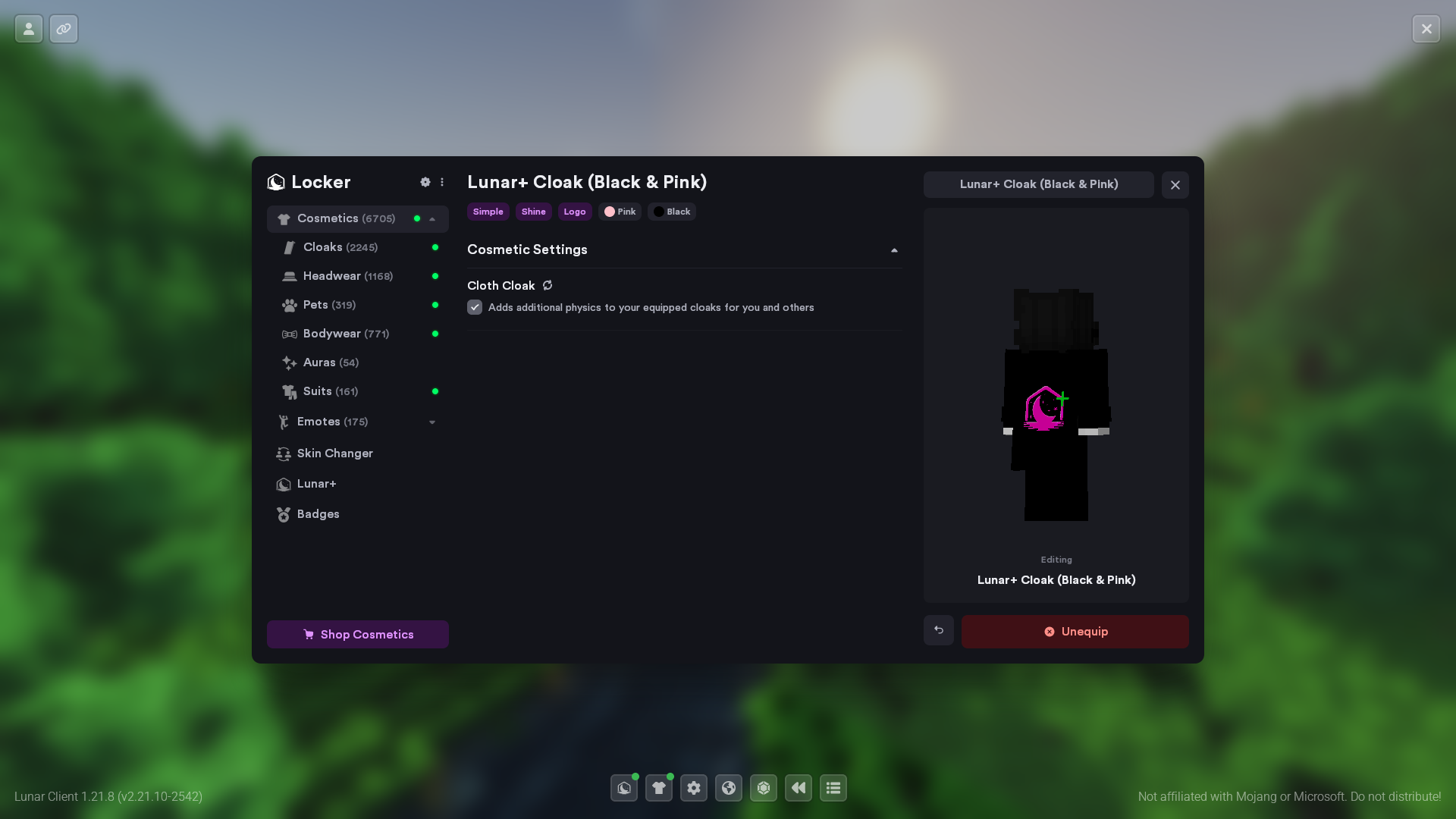
Step 3: Enable Cloth Cloak
You can now enable the cloth cloak option.
© 2026 Moonsworth, LLC