Login to Lunar Client
Discord Cosmetic Rewards Not Appearing
Linked your Discord account, but your Lunar Client cosmetic reward isn't showing up? Follow these steps to verify your connection and check your eligibility.
If you linked your Discord account to claim a cosmetic reward (such as the Purple Lunar Cloak), but the item is not showing up in your Locker, follow the steps below.
Step 1: Confirm your Discord account is linked
- Open the Lunar Client launcher and make sure you're signed in.
- Click your profile icon in the top-right corner, then select Account Settings.
- Check that your Discord account is listed and shows as Linked.
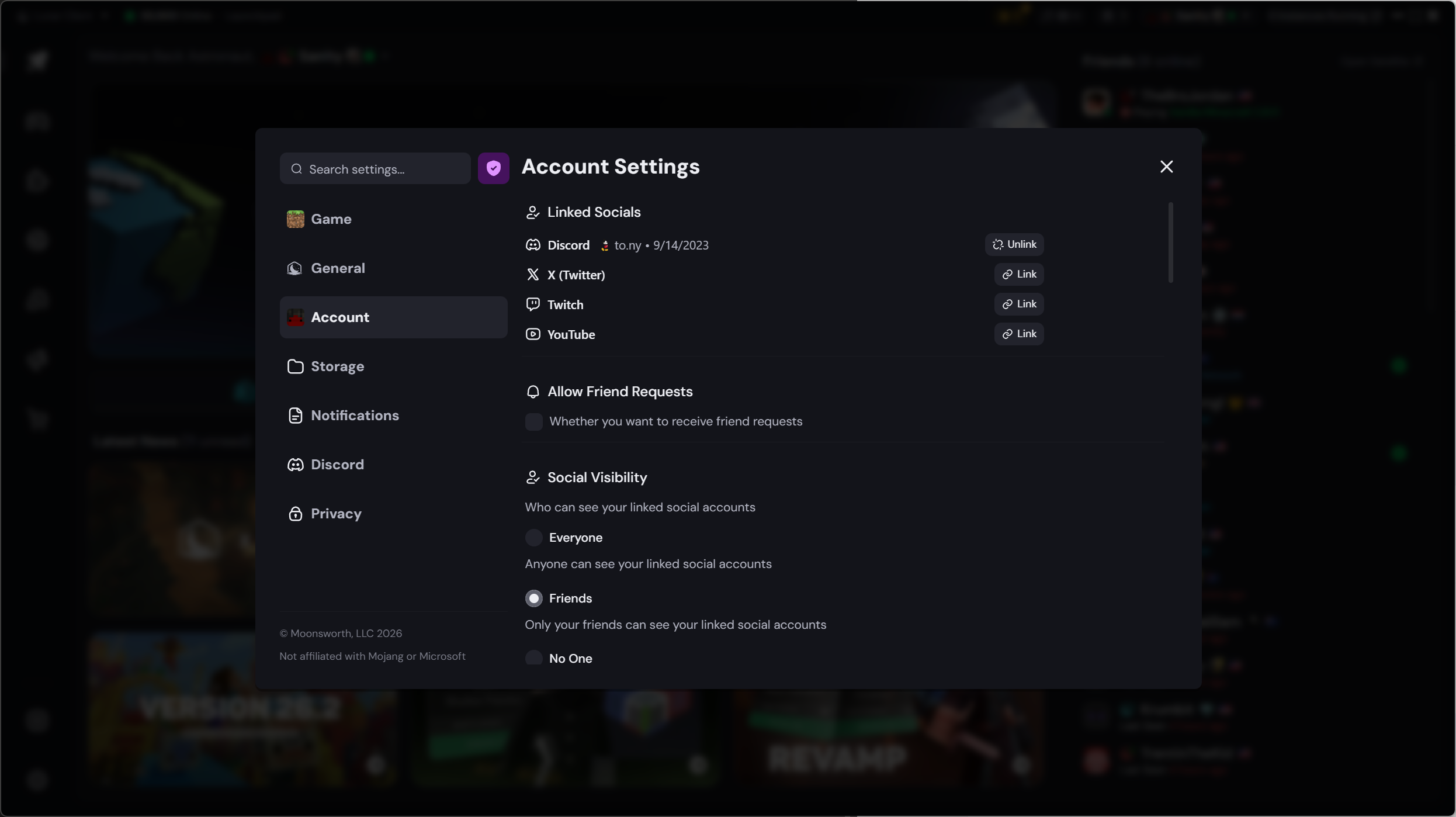
If Discord is not listed, click Link next to Discord, sign in when prompted, and authorize the connection. Once connected, allow a few minutes for your reward to be delivered, then relaunch Lunar Client.
Step 2: Check the correct Lunar Client account is linked
Cosmetic rewards are tied to the specific Minecraft account that was used at the time of linking. If you have multiple accounts, make sure you are signed into the account that completed the Discord connection.
Note: If you linked Discord while signed into a different account than the one you normally play on, you will need to sign into that original account to access the reward, or unlink and re-link Discord on your preferred account.
Step 3: Restart your Game
If your Discord account appears connected but the cosmetic still hasn't appeared, try restarting your game.
Step 4: Check your eligibility
Some Discord cosmetic rewards have certain requirements. Please make sure you meet the following requirements.
- You're still in the Lunar Client Discord
- Your Discord account has the "Account Linked" role.
- You have the LC tag equipped (optional)
If you are unsure whether you qualify, check the #free-cosmetics channel in the Lunar Client Discord server for the full eligibility details.
If you have completed all of the steps above and the cosmetic(s) are still not appearing, please open a support ticket.
More in Cosmetics
How to equip Lunar Client Cosmetics
After you've purchased your desired Lunar Client Cosmetic, you will of course want to see it in-game.
How to equip Lunar Client Emotes
After you've purchased your desired Lunar Client Emote, you will of course want to see it in-game.
© 2026 Moonsworth, LLC